
A few weeks ago, I got myself into home automaton world. I already had motorized venetian blinds on my flat, controlled by Selve wireless system via remote. But it bothered me, because batteries on the remote got empty once a month. I had to set the clock every time I changed batteries, which really got on to my nerves.
Then I dug myself into the wireless switches world. I’ve heard about Zigbee switches, but then I would need to invest into some kind of gateway. I even thought about getting Selve home server, but it’s kind of pricey, so that option was quickly out of the question. Because I always try to take advantage of already used components, I considered getting gateway/transmitter, which would emulate the Selve remote. But something was telling me, that trying to mess with proprietary protocol wasn’t a good idea.
But then I saw capabilities of Shelly 2PM switch, it was a no brainer. I promptly installed Home-assistant on my Synology NAS into docker container and started to play around. Next day I got myself a Shelly 2PM gen3 wifi switch. After connecting it to the network, I figured that for blinds operation I would need to set operation mode from “switch” to blinds or something like that.
I spent several hours looking for that setting, but got stuck. All the instructions found on the internet were for older generations of Shelly 2.5 or 2PM. Newer version has menus mixed around, and on the smart phone app there was no option to set “device profile” as for older versions. No specific official documentation, nothing. Just device type for each switch could be set to rollers, but there were no buttons for up and down.
The closest I got was a post of a user setting shelly 2PM gen1 for venetian blinds, which said:
My Shelly 2PM parameters:
Device profile: cover
Input type: button
Control button mode: detached
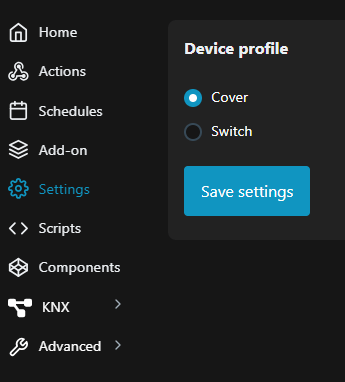
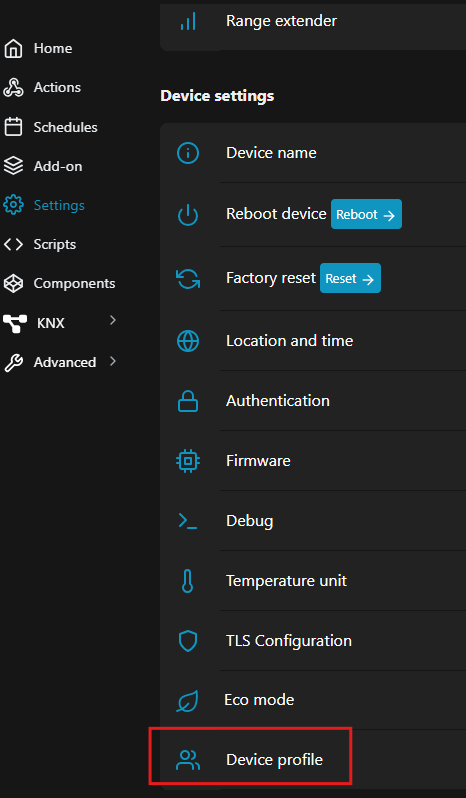
After messing around with home-assistant and trying to make use of AI, I found out, that Shelly had it’s own WEB-UI. There were more options available for settings, but still no device profile. Then I systematically clicked through the whole interface and found device profile on the bottom of settings.
Immediately after changing it to “cover” it warned me, that the device will reboot and change operation mode.
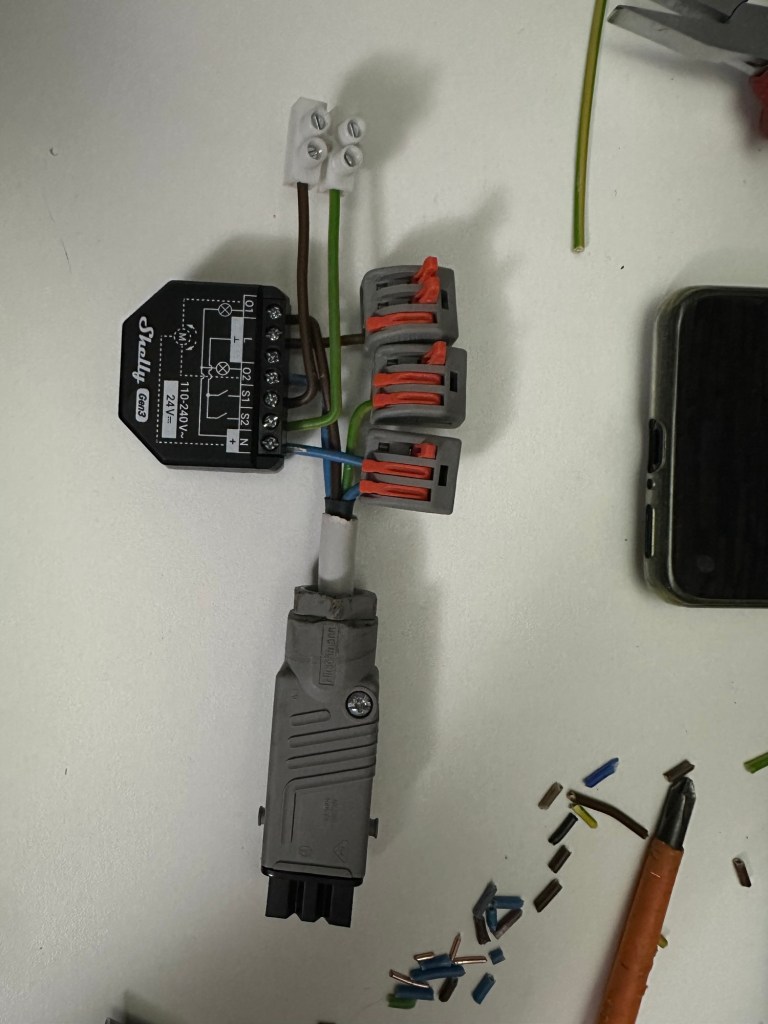
This mode now has everything one can wish for. After connecting Shelly to to the blinds motor and successful calibration, operation is as easy as a pie. Kudos to Shelly for great product, but not so much for the documentation!
 Marko Krenker
Yay, thanks for the efforts publishing this. Came across here for the exact same reason as you did (long time Shelly 2.5 user trying to set up 2PM Gen3 for the first time)
LikeLike
Yes, mission accomplished! My goal in posting this (or anything else in that manner) was to help at least one person. To skip the struggle an frustration :) Cheers!
LikeLike